System users with Administer Permission (the System Controller sets permissions), can access and use the programs in the Admin Section.
There are Repetitive Tasks or services provided to Job Applicants. Or the same case note is entered repeatedly into many different Applicant files. Or even into the same file. For these situations, we provide this program, which allows you to...
Type the Note Once and have it available to be entered (retyped by the system) into an Applicant File, with the click of a button.
Automatically Enter the Status to which the note is related (I.E. 01-Orientation, 02-Intake, etc.)
Set the Status as Complete or Pending.
Trigger an E-Mail to any valid E-Mail address.
Pre-set the default body of the E-Mail.
 Click the Admin Icon on the top of the system page for links to Programs.
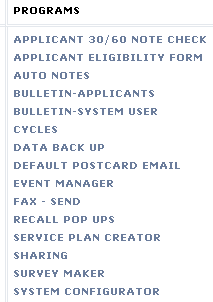
Click the AUTO NOTES link.
To create (add) an auto note...
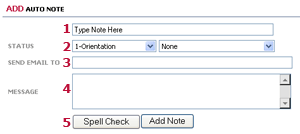
1- Type the body of the auto note.
2- Enter the Status to which it is related. Then select from the second dropdown to automatically check off the status as complete or pending on the applicant Status Page.
3- If you'd like to trigger an email automatically when the note is entered, type the recipient email address here.
4- If you'd like to trigger an email automatically when the note is entered, type the email message body here. Note: The applicant name will automatically be inserted into the body of the email, like this, "Re John Doe #12345..." The email message you enter will come after that.
5- Spell Check, if you wish, then click the Add Note button.
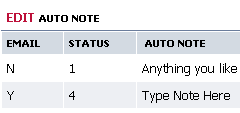
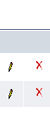
As with other system features, click...
 to edit.
  to delete.